Home

Tuesday, May 19, 2009

Kate/Lynda.com tutorials

Finally photoshop tutorials that are rad, and teach me something. Ok first off this has everything to do with our new project that i blogged about a few posts ago. First off... yes we learned how to do duo tones, and half tones.  This was really helpful because, well its two of the manipulations we have to do for our project. There is a lot of freedom with these and you can really do a lot. 
The next tutorial once again was by my teacher kate, and it was about the extract filter tool. This one is cool because its like a paint brush and makes it a easy to delete the background of simple images. unfortunately, my image for my treatments is not so simple, but its gunna be rad.
The next tutorials is a very lengthy one, and a very helpful one. It is all about all the selection tools
in photoshop. Each one has a diffrent use, and works better for certain things. we learned about toleration 
levels using the magic wand tool, and growing and similar selections.
we learned about refining the edges, and what how the magic wand actually works. This tutorial is really good
i think that my project has seriously been saved because of the tutorials we were given today in class! yess
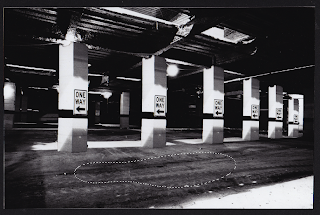
So here is just something i was playing around with by selecting a post in my image and transforming it, and playing
with it.

The first one is the original, the second the one i played around with.


Monday, May 18, 2009

Photo shop tutorial

Ahh u suck at photoshop tutorial 3.
I cant help but try these out. Ok pro's it teaches you how to use
the clone tool, and manually clone stuff. this is defiantly a pro.
Cons: its impossible to find an image as perfect as this guys to do this
tutorial with. so it makes it really hard.
Once again i dont wanna post up what i did in photoshop because it looks like crap
but i know what im doing which is another pro.
So check it out. you can probably do this with any image now that i think about that.
so i did! took a broken surfboard that image i found and fixed it! haha.
manulally cloned part of the board and manipulated it using things i already knew
in photoshop or just recently learned! yay. its not really that good now that i look at it
but its the thought that counts haha


Tutorials... Photoshop


So i just did the "you suck at photoshop 2" tutorial. it was a really weird one about
like hiding a cat and putting in new carpet. after that adding a stain. it was ok but not that
good because it didint really explain much haha. but i figured it out anyway and did my own.
here is a screen cap of the intro of the video. its on youtube.com
check it out  just type in you suck at photoshop.

Photo shop project art 120 !!!

So for my art 120 class we have been given a really interesting project. 
We are going to choose one picture and manipulate it 25 diffrent ways,
after this were are going to bind the pictures up and make a book.
The begining stages of this project are to choose 3 images that we have.
They have to be images we produced. Good thing i have a gang of photos.
So i chose 4 because i was torn on one. So here they are. Be sure to check back
for process, and ultimatly the final product!
Laters,
Pauly


Ahh some of these photos were not rotated right,
Check my FLICKR if u wanna see them the right way haha

Thursday, May 14, 2009

MOREEEE photoshop tutorials.


This tutorial was off of youtube. it was really funny, and pretty good.
Just go to youtube, type in you suck at photoshop, i did the first one.
It taught me how to use the skew and distort tool, play with some layer
filters. and i also combined it with using layer masks to combine images.
i just took a piece of graffitti and threw it up on a wall. pretty good tutorial
i think it was helpful to see what all the filters in the layer panels do, as well
as playing with masks. yaaaaa.
The first image is the guy leading the tutorials. he is trowing up his marriage 
certificate on his window, gotta watch the video to understand haha.


Photo shop tutorials

YUPPERSS for whatever reason photoshop tutorials are not as good
as the illustrator tutorials i have done.
Unfortunatly i could not complete this tutorial i just watched it.
I tryed but the images used were not free.
We had to buy them. So im not really into buying that for a tutorial.


this is not mine, and i was unable to create it.
however, it seemed helpful again, photoshop seems to really be about maskss.
and well they are in here haha. 
it also teaches you how to select by using the channels layer which is good.
This is because it allows you to chose whatever rgb color channel you want.
you can duplicate it etc....
Its legit.
so if you wanna go but some pictures haha, go for it.
if not just watch it its a good tutorial. tutvid.com

Logo recreation

Yikes this is my final for a project that we did a little bit ago... 
It was a project that involved me and three others recreating some logos.
I got the I love NY logo by milton glaser.
This project was super fun. it got me better with the pen tool as well as layout. 
Its funny to see how something so simple can really be so complex.
So here it is. 
and sorry for the late post.
My process is also on my flickr.