Home

Tuesday, May 12, 2009

Mask Tutorials.

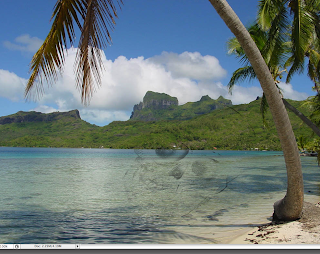
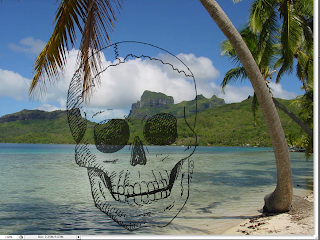
I remember a while back way back when, like 3 years ago my photo teacher did a one day computer tutorial. she taught us how to make doubble negitives with photoshop. Im not sure if this is the same way she taught us but it works. basically i just had two images made  a layer mask and then you brush over the top image, this will either fade the image or bring it up.


The tutorial i watched was off of tutvid. The tutorial was about making layer masks. even though we have been doing this in class i wanted to like actually do a tutorial instead of just listing and try it out some more. so i did this one. it was pretty simple, but its nice to know what im doing. try it out.
tutvid.com. 
And i just realized this picture really dosnt show much. but there is just a square and the guy explains how the mask will move about the picture if its liinked up. if not the mask will move, or just the image.

tshorts.net

Every once in a while you will come across some one who is so fuckin talented its dumb.
well this person happens to be a good buddy of mine tyler short. please check his website tshorts.net . the work he does with a sharpie marker is unbelievable.  we were just talking today about shit and how people just need to network, well he dosn't go to school as of now so im his PSU hook up. Just check it out. 
He obviously can do anything you want, so just hit him up if u have questions or comments, or leave them on my page if u wanna.

Monday, May 11, 2009

Building Project.

So for all the people that are not in my art 120 class. We were introduced a project that was pretty rad. We got a few pictures of buildings and had to add new color and a graphic to one of the buildings. sweeet! Well at first we learned how to mask images, and do this assighment and we were also given photoshop documents with the masks already created. This was really cool!
Here are three color combonations and three diffrent graphics, and two diffrent views of the building. 
Pleas check my flickr where i described these in detail!


Weekly tutorials, yes a bit behind.


Ahhhh i have been so balled up with all my other classes. 
which sucks because i really am kinda behind in my tutorials.
The one i have done so far was how to get a true white background, and
how to color a charecter i made.
I did not get to shading yet because Ward's tutorial we watched in class was real long, and i plan on doing it in two parts.
This tutorials was really good because it taught us how to work with layers, and color in photoshop, the most important thing is how to get true whites. This can also really help when live tracing in illustrator!
Peep the tutorial on our art 120 blog. (http://gdpsu.typepad.com/120/)

Tuesday, May 5, 2009

"The Beauty of Light"

I am reading over my process for this series that i wrote a few years ago. its pretty funny. Any way. I found something that really stuck out to me. and i quote myself haha... The photographs play around with the most basic concepts of photography, Light.
These pictures were taken while i was out to dinner one night with my family. I had my camera and saw this super rad spot to just shoot some photos. it was around christmas of 05'. So i just got out my camera and shot. Had a tripod too which made all these possible.
All my photos were developed myself. And this is the reason why every photo i have taken and developed means so much. When i was in high school we had the best dark room ever. What is weird is that thats the only thing the school really invested in, and there were like no kids in the photography program. funny. Well anyway there is just something so peaceful about being able to have total control of what you produce. Your not dropping your photos off to some  one else to let them do the work for you. Everything is you. and this is why photography in general is special to me.


Peep the flickr if 
you wanna see more.

COMING SOON!

Soo even though i don't have time, i am making some to post my photographs.
The first two series are entitled the Beauty of Light, and painted room.
My photos are all mounted, however they are years old and need some touching up.
There is some dust so  i am going to clean them up.
So check back later tonight to check them out. They will also be up on  my flickr. 
Later,
Paul

Monday, May 4, 2009

Art 118 project and tutorials

So after spending an hour in powells and looking through some books for inspiration i decided to start playing with this project for my art 118 class. kinda weird and hard anyways i came across two tutorials that let me come up with some really cool stuff, and taught me a shit ton about making clipping masks and compound paths. probably gibberish to some basically just lets me paste type on shapes cut stuff out, create letters out of letters. got some pictures. and the tutorials i found on google. This one 
taught me to put a picture behind text. then make it so the picture shows up in the text. ultimately this taught me to do what i planned to do, which was put text inside of my type. so it ruled in a nut shell. the other one 
taught me how to manipulate text by turning it into outlines and then playing with counters, and the letter itself. Both tutorials extensively taught me how to play with the alignment pallet, and the multiple pathfinder tools that exists. Its just another step for me its nice to be able to manipulate type, and create a design out of a simple letter. 
Other than that my dog has fleas, I'm up way to late, and on that note,
have a good night,
Paul